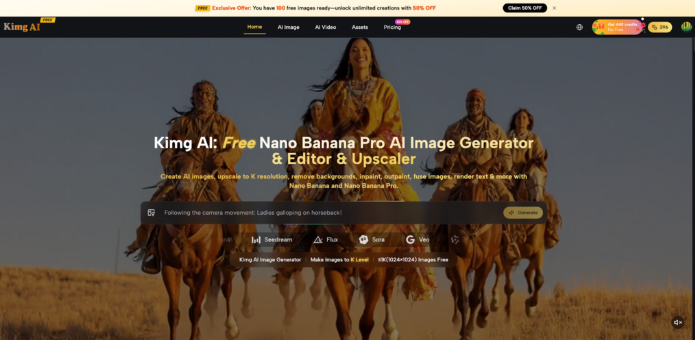
Every parent knows that sinking feeling — the kids are restless, screens are already overused, and you need something creative, hands-on, and genuinely fun. Kimg AI has a surprisingly simple answer: let AI generate custom coloring pages tailored to exactly what your child loves. No templates. No recycled clipart. Just original, printable artwork in minutes.
I. Why Generic Coloring Books Fall Short
Most store-bought coloring books are designed to appeal to the widest possible audience. That means compromise — your kid who loves deep-sea creatures won’t find a blue-ringed octopus fighting a shipwreck, and the child obsessed with a very specific princess in a very specific outfit won’t find that either.
- Repetition kills enthusiasm. Once a child has colored every page in a book, it’s done. There’s no second act.
- Generic themes don’t connect. Kids color more carefully and stay engaged longer when the image is something they actually care about.
- Low-quality downloads are a real problem. Random pages found online often have blurry outlines, poor resolution, or scenes too complex for younger kids to enjoy.
II. What Makes AI-Generated Coloring Pages Different
AI image generation has changed what’s possible for parents and educators. Instead of browsing through hundreds of pre-made sheets, you describe what you want and get something built for that child, that moment.
- Fully custom subjects — a purple dragon riding a skateboard, a mermaid with glasses, a robot baking cookies. If a kid can imagine it, it can be generated.
- Clean line art output — the right prompt and the right model produce crisp, well-defined outlines that are easy to print and color within.
- Instant turnaround — no waiting, no shipping. Generate, download, print, and hand it over.
III. How Kimg AI Powers the Whole Process
Kimg AI brings together multiple professional-grade AI models in a single, accessible interface — built specifically for high-quality image output. Here’s what makes it especially practical for generating coloring pages:
- Multiple model options — Kimg AI offers access to Nano Banana, Nano Banana Pro, Nano Banana 2, Flux, and Seedream, each suited for different output styles and detail levels.
- Up to 8 reference images — when using Nano Banana Pro AI, users can upload reference images to guide the AI’s output, which is ideal for keeping a character consistent across multiple pages.
- 4K image output — Nano Banana Pro on Kimg AI generates images at up to 4K resolution, meaning printed coloring pages come out sharp and clean even on larger paper sizes.
- No design skills required — the interface is prompt-based, so describing what you want in plain language is all it takes to get started.
IV. Choosing the Right Model for Coloring Pages
Not every AI model produces the same style of output, and for coloring pages, the choice of model matters.
- Nano Banana — Great for simple, clean scenes. It’s fast, reliable, and handles a wide range of subjects well. A solid starting point for younger kids’ simpler requests.
- Nano Banana Pro AI
— The best choice when detail matters. Nano Banana Pro produces finer lines, more intricate character designs, and cleaner backgrounds. If a child wants a detailed fantasy castle or an elaborate animal scene, this is the model that delivers.
- Nano Banana 2 — Sits between the two, with the added benefit of batch generation: up to 4 images per request. Useful for creating a themed set of pages all at once.
- Seedream — Best when speed is the priority. Generates images quickly and handles a wide range of artistic styles, which is fun for experimenting with different coloring aesthetics.
V. Writing Prompts That Actually Work
The prompt is everything. A vague description produces a vague image; a specific one produces something genuinely printable and exciting for kids.
- Name the subject clearly — “a friendly cartoon dinosaur wearing a chef’s hat, standing in a kitchen” works far better than just “dinosaur.”
- Specify the style — include phrases like “black and white line art,” “coloring book style,” “thick outlines,” or “simple clean linework” so the AI knows you want something printable, not a photorealistic scene.
- Set the complexity level — for ages 3–5, ask for “simple shapes, minimal detail.” For ages 8 and up, “intricate background, detailed patterns” produces pages that hold attention longer.
- Describe the mood or setting — “a unicorn galloping through an enchanted forest at night, surrounded by glowing mushrooms” gives the AI enough context to build a full scene rather than a floating character on a blank background.
VI. Practical Ways to Use Custom Pages
Once the workflow clicks, the use cases expand fast. Kimg AI becomes a tool parents and educators return to repeatedly because it fits so many different situations:
- Rainy day activity packs — generate 5–6 themed pages in one session and print a mini coloring book. Dinosaurs one week, ocean life the next.
- Birthday party favors — create coloring pages featuring the birthday child’s favorite characters or themed around the party. Guests take home something personal and memorable.
- Educational tie-ins — a child studying space? Generate pages of planets, rockets, and astronauts. History unit? Castles, knights, and ancient structures. The pages reinforce learning in a low-pressure way.
- Quiet time for multiple ages — generate simple pages for toddlers and detailed pages for older siblings at the same time. Everyone gets something that matches their level.
- Holiday and seasonal sets — Halloween pages in October, winter scenes in December, spring animals in April. The themes stay fresh because they’re made to order.
VII. Getting the Best Print Results
Generating a great image is only half the job. Getting it onto paper well is just as important.
- Always generate at the highest available resolution. With Nano Banana Pro on Kimg AI, 4K output means lines stay sharp when printed at A4 or letter size.
- Print in black and white — this preserves ink and ensures lines come out crisp. A color preview on screen can sometimes hide thin lines that wash out when printed.
- Use plain paper or light cardstock — standard printer paper works fine, but slightly thicker paper handles colored pencils and markers without bleeding through.
- Test with one page first — before printing a full set, print a single page to check that the line weight is right for the child’s age and coloring tools.
Conclusion
Keeping kids engaged with something genuinely creative doesn’t require a trip to the store or a cupboard full of activity kits. With Kimg AI and the power of Nano Banana Pro AI, parents and educators can generate unlimited custom coloring pages that match exactly what each child is into — at any time, for any occasion. The pages are unique from the start, which makes sitting down to color feel a lot less like a compromise and a lot more like an adventure.