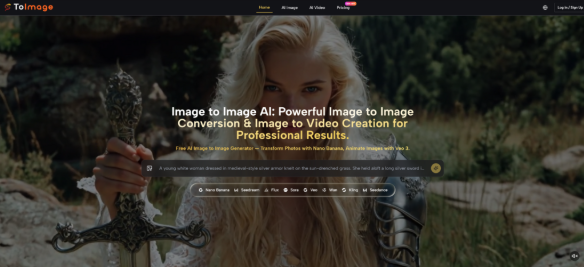
A surprising amount of visual work does not fail because the first image is bad. It fails because one image is rarely enough. A landing page needs a cleaner variation. A social post needs a stronger mood. A product team wants the same subject in several different styles without restarting the shoot. That is where a platform built around Image to Image generation becomes easier to value. It is not only about making pictures. It is about extending the usefulness of pictures that already exist.
This is an important distinction. Many AI image tools are presented as blank-canvas creativity machines, which sounds exciting but often misses the real workload. In practice, creators, marketers, and small teams usually begin with something concrete: a portrait, a product photo, a scene, or a draft visual. The real need is not endless invention. The real need is controlled variation. ToImage appears designed around that more practical problem.
What makes the platform interesting is not a single dramatic promise. It is the way the product organizes image transformation into a readable workflow. Instead of asking users to trust one model for every situation, it presents several paths that align with different outcomes, from realism to speed to more context-sensitive editing. That gives the platform a more applied feeling than many AI tools that speak in general creative language.
From Creation Tool To Revision Workspace
One useful way to understand the platform is to stop thinking about it as a generator first. It works better as a revision workspace.
For many users, the hardest part of visual production is not making the first draft. It is making the second, third, and fourth versions quickly enough to support an actual decision. A campaign image may need a softer background. A creator may want a more cinematic tone. A catalog photo may need several polished variants for different channels. Traditional editing can handle that, but it often takes more time and manual precision than a quick commercial workflow allows.
ToImage enters at that point. The platform begins with the assumption that the source image already matters. Instead of ignoring the original, it uses that image as the base layer for transformation. That shifts the creative question from “What can AI invent?” to “How can AI reinterpret what is already here?” In my observation, that is a more useful question for everyday teams.
Why Revision Is A Better Lens
This revision-first framing matters because it changes how the product is judged.
A blank-text image tool is often evaluated on surprise and visual spectacle. An image transformation tool is judged more on usefulness. Can it preserve the subject while changing the mood? Can it help a team compare multiple directions quickly? Can it produce variation without losing the core visual identity of the original asset? These are more practical standards, and they fit what ToImage appears to offer.
The Source Image Becomes The Real Brief
In many creative environments, the uploaded image already contains most of the important information. It carries framing, subject position, color relationships, and a certain emotional baseline. Once that image is in place, the user does not need AI to invent everything. The user needs AI to respond to an existing visual brief.
That Makes The Tool Easier To Apply
This is one reason image transformation can feel more approachable than text-only generation. The original image narrows the problem. It gives the model something specific to work from, and it gives the user something concrete to evaluate against.
How The Platform Seems To Work In Practice
The visible workflow on the site is relatively direct, which is probably intentional. The platform does not seem built around deep software complexity. It is built around moving from an existing image to a revised output through a small number of choices.
Step One Start With The Intended Output
The first decision is directional. Users choose whether they want to stay on the image side or move toward motion. That sounds simple, but it helps define the whole session. A still-image revision and an image-to-video result serve different purposes, and the platform separates those early.
Step Two Upload The Original Image
Once the direction is clear, the user provides the source image. This is the anchor of the whole process. The platform’s logic suggests that the original image is not just an input file but the structural foundation for everything that follows.
Step Three Describe The Change And Pick A Model
After that, the user describes the desired change and selects the model path that best fits the goal. That is where the product becomes more than a single generator. Different models appear to emphasize different kinds of outcomes, including realism, speed, resolution, precision, and video conversion.
Step Four Generate And Refine
The last step is generation itself. The result can then be reviewed as a usable variation or as the starting point for another prompt cycle. In my observation, this final step is where practical tools separate themselves from novelty tools. If the output gives the user a credible next option, the workflow has done its job.
The Model Lineup Suggests Different Working Styles
A strong sign of the platform’s design philosophy is that it does not present every model as interchangeable. That matters because visual tasks are not interchangeable either.
Nano Banana And Nano Banana 2
These paths appear aimed at users who care about realism, detail, and more polished transformation. Nano Banana 2 also appears to expand into higher resolution and batch-oriented output, which could matter when one concept needs multiple cleaned-up alternatives.
Seedream For Faster Iteration
Seedream seems easier to understand as a speed-oriented path. This kind of model matters when the task is exploration rather than final polishing. A creator may need several quick options before deciding which one deserves more effort.
Flux For More Directed Editing
Flux appears positioned for more context-aware changes. In practical terms, that suggests a workflow where the user wants more than a broad stylistic rewrite. They may want the edit to feel more targeted and more aware of what should stay stable.
Veo 3 For Motion Extension
The video side expands the logic rather than replacing it. Instead of treating still images and motion as two separate worlds, the platform lets users carry a source image into short-form video generation. That is useful because many modern content pipelines begin with still assets and only later ask whether motion is needed.
Where This Type Of Tool Becomes Valuable
The product makes the most sense when placed inside routine creative work rather than abstract AI enthusiasm.
For Teams Reusing Approved Visual Assets
Many teams already have approved product photos, portraits, or campaign images. The problem is not missing source material. The problem is needing more versions of that source material for more surfaces. A transformation platform helps extend the value of one approved asset into multiple presentational forms.
For Creators Comparing Tone Rather Than Subject
Sometimes the subject is already correct. What changes is the treatment. A creator may want the same image to feel brighter, moodier, cleaner, or more editorial. In that case, the workflow is less about invention and more about tonal testing.
For Brand Consistency Across Variations
The platform also points toward reference-based control and consistency, which is important for recurring characters, visual systems, and campaign continuity. In my testing mindset, consistency is often more commercially valuable than raw novelty.
A Clearer Way To Compare The Main Paths
| Path | Main Use | Strength | Tradeoff |
| Nano Banana | Realistic visual transformation | Strong fidelity and polished look | May need more deliberate prompts |
| Nano Banana 2 | Higher resolution and multiple variants | Better for scaled comparison work | More options can slow selection |
| Seedream | Fast concept generation | Quick exploration and iteration | Less ideal when edits need fine control |
| Flux | Context-sensitive revision | Better for targeted transformation | Works best with precise direction |
| Veo 3 | Turning stills into motion | Extends images into video workflows | Results may require repeated tries |
The Limits Make The Product Easier To Trust
A grounded article should also say what the platform does not remove.
It Does Not Eliminate Prompt Discipline
Even with a clear workflow, the quality of the result still depends on the clarity of the instruction. Users who describe visual intent more specifically usually get stronger outputs.
It Does Not Remove The Need For Iteration
The first result is not always the best result. That is normal. In many creative contexts, one or two additional rounds are still part of getting from a plausible output to a genuinely useful one.
The Best Use Case Is Not Total Automation
The strongest reading of ToImage is not that it fully automates visual judgment. It reduces the labor of testing possibilities. That is a more modest claim, but also a more believable one.
A Better Way To Measure Its Potential
The platform seems most valuable when judged by whether it helps people do more with images they already have. That is a narrower promise than unlimited creativity, but in practice it may be the more important one.
For users who want to reframe, restyle, sharpen, or extend existing visuals without rebuilding everything from the ground up, ToImage appears to offer a workflow that is easier to understand than many broader AI suites. In my observation, that kind of clarity matters. A tool becomes useful not when it can do everything, but when it helps users reach a better next version with less friction.