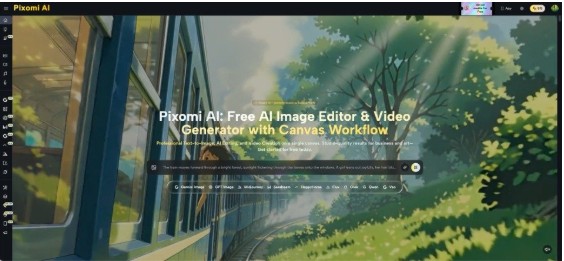
A civil services aspirant can read the same topic three times and still struggle to retrieve it during revision. The problem is not always understanding. Sometimes the material is simply too abstract to hold in memory: institutional relationships, policy trade-offs, constitutional ideas, environmental processes, or long chains of cause and effect. Visual memory cues can make those topics easier to revisit. Banana Pro AI supports text-to-image generation and image editing, so students can create illustrative scenes around concepts they are already studying. The key is to use AI as a memory aid rather than a source of facts. Your textbook, official document, class notes, or trusted reference should define the content. The generated image should only give that verified information a memorable shape.
Use Visuals for Recall Problems, Not Every Page of Notes
Not every topic benefits from an image. A date, article number, committee name, or precise definition may be easier to revise with a flashcard. Visuals become more useful when the problem is remembering relationships, sequences, contrasts, or a broad concept.
For example, a student revising checks and balances might create a symbolic scene of several institutions holding different keys to the same locked cabinet. The picture does not explain the Constitution by itself. It simply gives the student a memorable cue for the idea of distributed authority.
Another good use is a process with several stages. A water-management topic might be represented as a landscape showing rainfall, storage, irrigation, urban use, and conservation. The factual sequence still comes from the study material, but the visual helps the learner remember the order.
Start with the question you keep forgetting. If the problem can be expressed as “I understand this, but I cannot retrieve the structure quickly,” a visual cue may be worth creating. This keeps your image collection small and tied to genuine revision problems instead of turning every chapter into a design project.
Match the Topic to the Right Kind of Visual
A single visual style should not be forced onto every subject. Match the image to what you are trying to remember.
| Study problem | Useful visual form | Example |
| Compare two approaches | Split scene | Centralized vs. local implementation |
| Remember a sequence | Journey or pathway | Stages of a policy process |
| Recall several connected factors | Hub-and-spoke scene | Causes affecting one outcome |
| Remember an abstract principle | Symbolic illustration | Accountability or federalism |
| Revise a geographical process | Landscape scene | River basin or urban heat |
The table is not a formula. It is a way to avoid creating decorative pictures that look good but add no memory value.
A student studying governance, for instance, might not need a portrait of an administrator. A diagram-like scene showing citizens, local offices, state institutions, and information moving between them may provide a stronger cue. The image should reflect the structure you want to retrieve later.
Build the Memory Cue in Three Study Steps
The most reliable method is to create the visual after you understand the topic, not before. That order keeps the image tied to verified material.
1. Compress the Topic Into One Sentence
Close the book and write the idea in your own words. For example: “A policy outcome depends on design, implementation capacity, local conditions, and feedback.” If you cannot write that sentence accurately, continue studying before generating anything.
The sentence forces you to identify the relationship that matters. It also prevents the prompt from becoming a copy of an entire page of notes. You are creating a cue for retrieval, not asking an image model to summarize the chapter. Keep the sentence beside your notes so you can check that the visual still reflects your own understanding.
2. Turn the Sentence Into a Concrete Scene
Translate each abstract element into something visible. “Design” might become a blueprint, “implementation” a bridge under construction, “local conditions” different terrain, and “feedback” people returning information to the planners.
This is where Banana Pro AI can help generate a custom illustration from the scene you describe. Keep the image simple enough that you can explain every element. If you need a paragraph to decode the picture, it is probably too complicated for quick revision. Remove symbols that do not trigger a specific part of the concept.
3. Test the Image Without Looking at Your Notes
Return to the image later and explain the topic aloud. Can you reconstruct the main points from the visual cue? If one symbol does not trigger the intended idea, change that part.
This step turns the image from passive decoration into active recall. The useful question is not “Do I like this picture?” It is “Does this picture help me retrieve the verified concept correctly?” Repeat the test a few days later, when the image is less familiar. That delay reveals whether the cue actually supports memory or only felt obvious when you created it.
Keep Facts, Labels, and Numbers in Your Notes
Generated visuals can contain invented text, incorrect labels, or plausible-looking details. That makes them poor places to store exact constitutional articles, statistics, dates, scheme names, case names, or official terminology.
Keep those details in your written revision material. If a number is essential, add it manually after checking the source rather than asking the image generator to supply it.
A practical approach is to pair one visual with a short factual card. The image carries the structure or association. The card carries the exact facts. For example, the image might help you remember several dimensions of urban governance, while the card lists the precise terms you need for an answer.
This division also makes corrections easier. If a statistic changes or you discover an error in your notes, you can update the factual card without discarding the visual cue. AI should make recall easier, not create a second source that needs to be fact-checked line by line.
Use the Same Image for Multiple Rounds of Revision
The biggest value of a memory cue appears when you revisit it. A visual seen once is only an illustration. A visual used repeatedly can become a retrieval trigger.
Try a simple revision cycle. On the first day, create the image and explain the topic. A few days later, look at the image without the notes and write down what you remember. During a later revision, reduce the time: give yourself one minute to reconstruct the structure.
You can also edit the image if your understanding becomes clearer. Perhaps one symbol was confusing, or two parts looked too similar. Instead of creating a completely new set of notes, refine the cue so it matches the way you now organize the topic.
Keep the number of visuals manageable. If every paragraph gets an image, revision becomes another gallery to navigate. Reserve them for topics that repeatedly resist recall, then let ordinary notes handle the rest.
Conclusion
Visual memory cues work best when they support knowledge you have already verified. They are especially useful for abstract principles, sequences, contrasts, and connected factors that are difficult to retrieve from dense notes. They are much less suitable for storing exact dates, numbers, legal wording, or current facts.
Choose one topic that you understand but repeatedly forget. Compress it into one sentence, translate that sentence into a simple scene, and test whether the image helps you reconstruct the idea later. Keep precise information beside it in normal notes.
If the visual makes revision faster without changing the meaning of the topic, keep it. Over time, a small set of carefully chosen memory cues can become a practical companion to serious reading rather than a replacement for it.